Trigger
Receive an event, request, record change, schedule, or operator action.
AI orchestration platform builder
Generate the application layer for AI agent orchestration: provider connections, workflow definitions, run history, human approvals, roles, analytics, and integrations—then keep extending the code on your dedicated VM.
Describe the control plane
Start with the providers, agents, tools, workflow states, reviewers, and systems you need to coordinate. Connect the actual runtimes and credentials in your owned codebase.
The chat is loading...
The application layer around AI operations














Build the records, operator screens, access controls, APIs, and deployment foundation that turn external AI services into maintainable business software.
A controlled orchestration path
An orchestration platform should help operators understand what started, where it ran, who reviewed it, and what happened next.
Receive an event, request, record change, schedule, or operator action.
Select the configured workflow, provider, agent, tool, and fallback path.
Send sensitive, uncertain, or failed outcomes to a human decision queue.
Call the business system, store the result, notify owners, and retain history.
AI orchestration control plane
Design the platform around connections, workflows, people, and observability instead of hiding everything inside scripts.

Track external AI providers, environments, connection ownership, configuration state, and the application credentials your team manages.

Catalog agents, tools, responsibilities, owners, allowed actions, and the workflows where each component can be used.

Model triggers, routing rules, inputs, steps, review gates, business actions, and fallback paths as explicit application records.

Give operators a searchable record of status, duration, output references, errors, retries, escalation, and final resolution.

Route sensitive or uncertain actions to reviewers with context, decision states, comments, ownership, and an audit trail.

Separate tenants and roles while tracking usage, run outcomes, exceptions, review rates, and the operating signals your team defines.
Start with an AI app with a database for a broader data product, use the AI chatbot builder for chat-first experiences, or explore AI integration services when an existing system needs the AI layer added directly. Orchestration is the best fit when operators need a dedicated control plane for multiple workflows and runs.
Flatlogic builds the application around external AI services; it does not replace the provider or runtime.Operator workspace
The visual below represents the operator-facing application layer teams can build—not a preconfigured universal agent runtime.
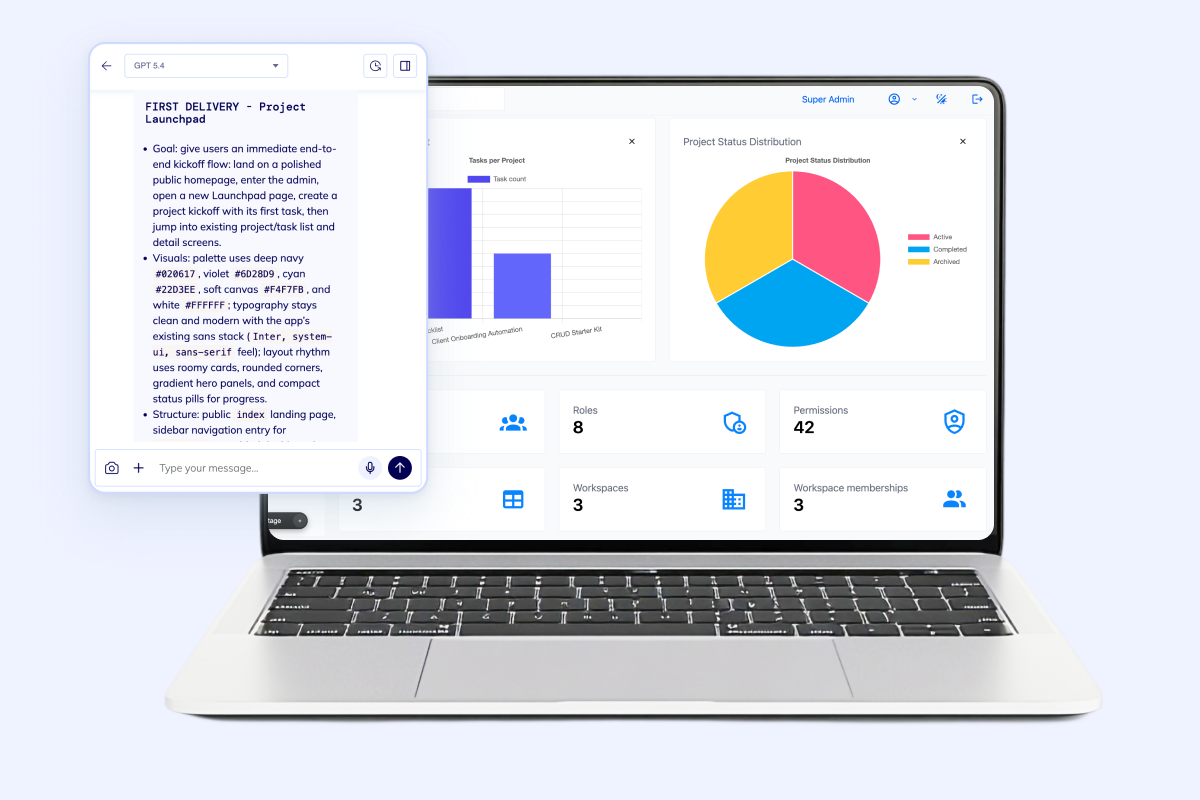
Build dashboards around workflow health, review queues, role assignments, tenant boundaries, usage, and the exceptions that need human attention.
AI orchestration platform FAQ
Understand the boundary between the generated control plane and the external AI services it coordinates.
It creates the web application layer around external AI APIs and business systems: provider records, agents and tools, workflows, run history, approval queues, roles, dashboards, APIs, and deployment foundations.
No. Your team chooses the model providers, runtimes, credentials, and system integrations. Flatlogic helps generate the maintainable operator application and code around those services.
The application can be designed to store multiple provider connections and route workflows through your integration layer. Each provider still requires its own API, credentials, implementation, limits, and production testing.
Yes. Approval, fallback, and escalation states can be explicit parts of the data model and UI, with reviewer roles, context, decisions, comments, and audit records.
Yes. Your team can add APIs, webhooks, queues, background jobs, and provider-specific adapters. The exact connection depends on the systems, permissions, and actions involved.
Yes. The generated project is a real codebase your team can inspect, customize, connect to GitHub, deploy, monitor, and continue developing.
Make the orchestration workflow operable
Use the Flatlogic Generator to create the control-plane foundation, then connect your chosen AI services and business systems in owned code.