Delivery path 01
Use the builder
Best when you know the records, dashboards, permissions, and workflows the admin panel needs.
Generate panelSolution
Delivery path 01
Best when you know the records, dashboards, permissions, and workflows the admin panel needs.
Generate panelDelivery path 02
Best when the admin panel needs custom workflows, migration, integrations, or long-term support.
Hire FlatlogicGenerate the foundation yourself or hire Flatlogic to build the full admin panel: roles, dashboards, CRUD screens, imports, audit logs, APIs, deployment, and source-code ownership.
Builder preview
Start from the records and controls your operators need, then generate the admin screens, backend, database, and deployment path around them.
The admin panel builder is loading...
Track Record
Flatlogic has delivered more than 100 projects since 2014. Review the case studies or generate an admin-panel foundation in the live builder above.
Core Capabilities
A useful admin panel gives the team trustworthy records, visible queues, safe actions, permission boundaries, and reporting that explains what needs attention.

Give operators, managers, admins, and support teams the right access without exposing every setting or record to everyone.

Generate lists, forms, detail pages, filters, statuses, comments, imports, exports, and the operational screens teams use every day.

Ship reporting widgets, API endpoints, audit history, notifications, and a deployed codebase instead of a static dashboard mockup.
Where It Fits
Admin Panel is the right fit when the core need is control: permissions, settings, dashboards, records, support actions, audit trails, and operational oversight. If the app is mostly structured data management, compare CRUD App.
If the panel is one part of a larger employee workflow, review Internal Tool Builder. If it sits inside a broader subscription product, compare Custom SaaS App.
Built for operators, admins, and support teamsKey Workflows
The best admin panels combine dashboards, record management, permissions, settings, and integrations so the team can operate the product or business from one place.
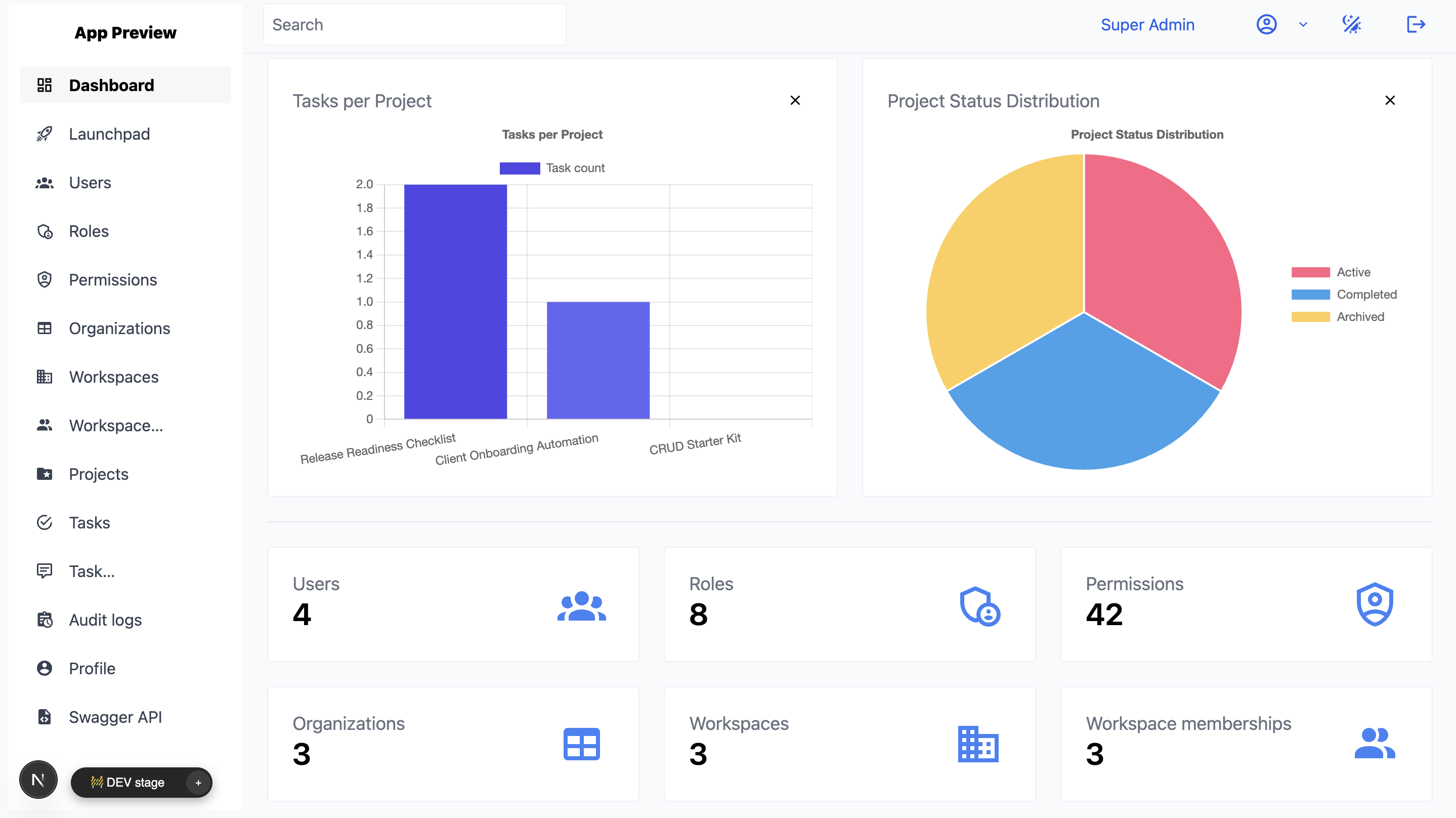
A useful admin panel gives operators one place to see the state of the system and act on what needs attention.
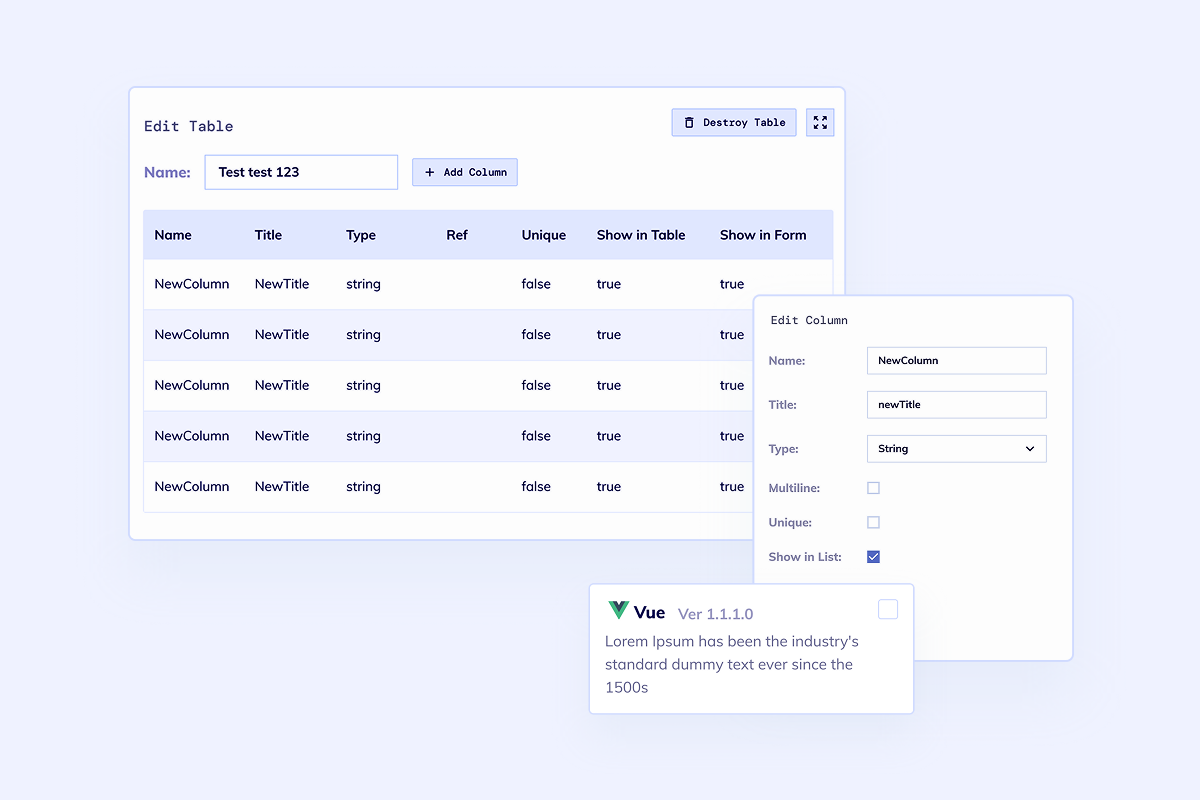
Admin panels usually start with records, but the important part is making updates safe, searchable, and auditable.
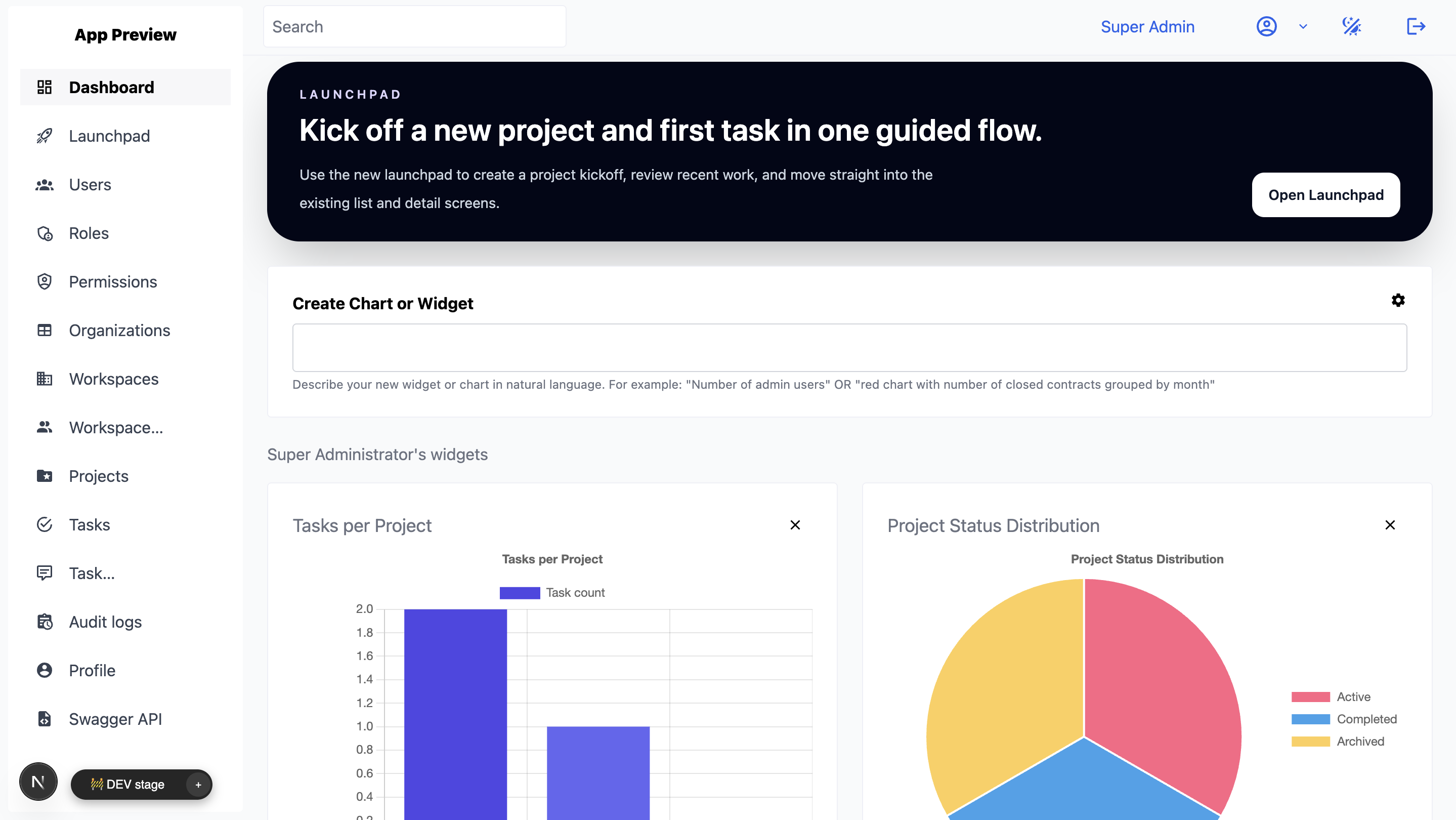
The admin surface often becomes the operational center for API connections, notifications, customer support, and internal controls.
Plan the Build
Choose the self-serve or assisted path with a clear view of how pricing works, how delivery progresses, and what Flatlogic has already shipped.

Start on the Free builder plan and review the current paid options on the Flatlogic pricing page. Custom engineering is quoted after the first-release scope, integrations, and migration needs are clear.

The builder can generate the first full-stack foundation in one working session. Assisted delivery starts with a scoped release and continues through working weekly increments; integrations, migration, and approval rules determine the total timeline.

See the Rezbot case study: a booking and management platform Flatlogic has developed since 2017, with an integrated admin dashboard for data, operations, and statistics.
Build Path
Start by defining responsibilities, generate the foundation, add workflow controls, then deploy and keep extending the codebase.
List the operator roles, records, dashboards, permissions, and control actions that must exist in the first version.
Create the app with frontend, backend, database, authentication, CRUD screens, and deployment setup.
Layer in statuses, comments, audit trails, imports, bulk actions, notifications, and role-specific dashboards.
Launch the admin panel, connect GitHub, and keep adding operational controls as the product or internal system grows.
Questions
Next Step
Start with the builder when you know the records, roles, dashboards, and control actions. Bring Flatlogic engineers in when the admin panel needs deeper workflow design, integrations, data migration, or long-term product support.