


TL;DR
- Admin panels are usually internal CRUD-heavy tools; building from scratch can consume weeks and distract from core product work.
- Choose tools by ownership: low-code speed (Retool/Appsmith/ToolJet), code-first control (Refine/React-admin), or app generation (Flatlogic).
- If you already have APIs/DBs, UI builders can deliver an admin panel fast; for core product/admin-as-architecture, favor code ownership.
- Evaluate beyond MVP: permissions, audit logs, data volume, integrations, maintenance, and vendor lock-in can dominate long-term cost.
Fact Box
- The article says the right admin panel can save a startup weeks of engineering time.
- A basic CRUD page can require loading/error states, forms, validation, pagination, search, sorting, permissions, and tests.
- The 2025 Stack Overflow Developer Survey collected more than 49,000 responses across 177 countries.
- Appsmith’s free cloud plan supports up to five users, and its Business plan is listed at $15 per user per month.
- The article lists seven tools for 2026: Flatlogic, Retool, Appsmith, Refine, React-admin, ToolJet, Forest Admin.
The right admin panel can save a startup weeks of engineering time, but the wrong one can leave you paying for complexity you never needed.
When choosing an admin panel tool in 2026, startups usually ask the same questions: Should we build the admin panel ourselves or use a tool? Which option gives us the best balance of speed, flexibility, and cost? Will we still control the code and data when the product grows? And which tool is actually worth using for a small engineering team?
“The best code is no code at all”, David Heinemeier Hansson.
The idea is especially relevant to admin panels. Most startup admin interfaces are not the product customers pay for. They usually contain CRUD screens, user management, filters, search, permissions, dashboards, support actions, and internal workflows. Yet teams can spend weeks implementing exactly these patterns instead of working on the product itself. Research and developer surveys show how quickly the modern web-development stack continues to evolve: the 2025 Stack Overflow Developer Survey collected more than 49,000 responses across 177 countries, while React remains one of the major technologies in the web ecosystem. At the same time, AI-assisted development is changing how quickly teams can produce software, making the question less about whether an admin panel can be built and more about which approach minimizes long-term engineering cost.
By the end of this article, you will know which admin panel tools are worth considering in 2026, what each one is actually good at, where each approach becomes expensive or limiting, and which option makes the most sense for an early-stage startup. The goal is not to declare one tool the winner for everyone. It is to help you choose an approach you will not regret six months later.
What Is an Admin Panel?
An admin panel is a private interface that allows a company’s employees or administrators to manage application data and operations. Typical functionality includes:
- Managing users and accounts
- Creating, editing, and deleting records
- Searching and filtering data
- Managing subscriptions and payments
- Reviewing customer activity
- Changing application settings
- Handling support requests
- Managing content
- Viewing analytics
- Running operational workflows
- Assigning roles and permissions
- Monitoring system or business events

For a SaaS startup, an admin panel might contain a Users page, Organizations, Subscriptions, Invoices, Support, Feature Flags, and Analytics. The important distinction is that an admin panel is usually an internal product.
Your customer-facing application might require carefully designed UX, performance optimization, responsive layouts, onboarding, accessibility, and extensive testing.
An internal admin panel still needs to be secure and reliable, but it rarely needs the same level of visual polish. That difference changes how you should build it.
Why Startups Should Not Automatically Build an Admin Panel From Scratch
Building an admin panel from scratch sounds straightforward. You create a React application, add routing, authentication, tables, forms, API calls, validation, permissions, filters, pagination, charts, notifications, and a design system.
Then reality starts. A basic CRUD page might require:
- Fetching data from an API
- Handling loading states
- Handling errors
- Creating forms
- Validating fields
- Adding pagination
- Adding search
- Adding sorting
- Adding permissions
- Handling optimistic updates
- Adding confirmation dialogs
- Testing everything
Multiply this by 10-20 entities and the supposedly “simple” admin panel becomes a substantial application.
This is why admin-panel frameworks and low-code tools exist. The objective is not necessarily to avoid programming. The objective is to avoid reprogramming the same infrastructure every startup builds.
Retool, for example, explicitly positions admin panels as one of the most common internal applications engineering teams build, alongside dashboards, developer portals, and operational tools.
The question therefore becomes: What should your team own, and what should your team delegate to a tool? That is the central question behind the comparison below.
The 7 Best Admin Panel Tools in 2026
There is no universal winner. Different tools solve different problems.
For startups, the strongest options in 2026 are:
| Tool | Best for | Code ownership | Self-hosting | Main advantage |
| Flatlogic | Full-stack startup applications | Yes | Yes | Generates a complete application |
| Retool | Internal business tools | Limited | Yes, depending on plan | Very fast development |
| Appsmith | Open-source internal tools | Partial | Yes | Open source + flexibility |
| Refine | Code-first React applications | Yes | Yes | Developer control |
| React-admin | React CRUD interfaces | Yes | Yes | Mature admin framework |
| ToolJet | Self-hosted internal tools | Partial | Yes | Low-code + integrations |
| Forest Admin | Existing databases | Limited | Architecture-dependent | Fast database-driven admin |
Let’s look at them individually.
Flatlogic
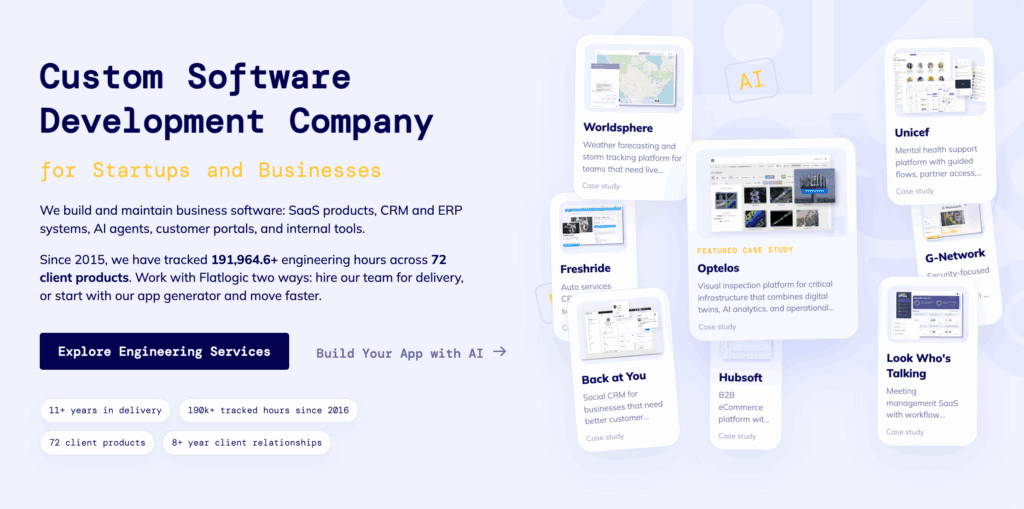
Best for: startups building a SaaS, CRM, marketplace, ERP, CMS, or other business application where the admin panel is part of the product.
Flatlogic takes a different approach from tools such as Retool or Appsmith.
Instead of primarily building an interface on top of an existing database, it can generate a full-stack application with frontend, backend, database, authentication, roles, and CRUD functionality.
Its current platform supports stacks such as React/Next.js, Node.js/Express, and PostgreSQL, and is explicitly positioned toward startups and business applications.
This distinction matters. Imagine that you are building a SaaS with:
- Users
- Teams
- Projects
- Subscriptions
- Invoices
- Tasks
- Notifications
You do not just need an internal interface. You need an application architecture that connects the frontend, backend, database, and admin functionality.
Flatlogic is useful when you want the generated application to become the starting point for your own codebase, rather than simply an internal tool hosted inside another platform. The platform also supports generated CRUD applications and Git-based workflows.
Pros
- Generates frontend, backend, and database structure
- Useful for relational business applications
- Source code can become part of your project
- Suitable for SaaS and CRUD-heavy products
- Faster starting point than building the entire stack manually
- More control than a purely hosted internal-tool platform
Cons
- More opinionated than a blank framework
- You still need developers for substantial customization
- Not the best choice for a tiny one-off internal dashboard
- Generated code still needs review, testing, and maintenance
Verdict
One of the strongest choices for a startup that expects the admin panel to evolve into a substantial business application.
The key advantage is not simply AI generation. It is starting with an actual application architecture instead of another hosted dashboard.
Retool
Best for: internal admin panels, support tools, operations dashboards, and data-management interfaces.
Retool is particularly strong when your application already exists and you need an internal interface on top of your databases and APIs.
For example: Your SaaS is already running. Support employees need to search for users, view subscriptions, issue refunds, modify account settings, and inspect events.
You probably do not want two engineers spending three weeks building that interface.
Retool is designed for exactly this type of situation. It provides pre-built components, database/API integrations, JavaScript and SQL support, permissions, Git integration, and other capabilities for internal applications.
Pros
- Very fast to build internal tools
- Large collection of UI components
- Strong database/API connectivity
- SQL and JavaScript support
- Good for operational workflows
- Authentication and permissions are available
- Mature ecosystem
Cons
- Your application is tied to the platform
- Costs can increase as the number of users grows
- Less attractive when the admin panel needs to become part of your core product
- You are building within Retool rather than owning a conventional application codebase
Verdict
If the requirement is: Our support team needs an admin panel next week.
Retool is one of the first tools worth evaluating.
If the requirement is: Our startup is building its core product and the admin panel is part of the architecture.
A code-owned approach may make more sense.
Appsmith
Best for: startups that want low-code development but also care about self-hosting and open-source software.
Appsmith is an open-source platform designed for internal applications, including dashboards, database GUIs, admin panels, approval applications, and customer-support tools.
Its architecture is relatively straightforward:
Data source → queries → UI → business logic → deployment
It can connect to databases and APIs, while developers can use JavaScript when configuration alone is not enough.
That makes it more flexible than a completely no-code platform. Appsmith also supports self-hosting, including deployment through Docker and Kubernetes.
For small startups, the pricing model is also relatively easy to understand. Its current free cloud plan supports up to five users, while its Business plan is listed at $15 per user per month.
Pros
- Open source
- Self-hosting available
- Good database/API connectivity
- JavaScript support
- Git integration
- Good for CRUD interfaces
- Strong fit for internal tools
Cons
- Not a replacement for a full application architecture
- Complex workflows can become difficult to maintain visually
- Developers may eventually prefer code-first solutions
- Self-hosting creates operational responsibility
Verdict
A very good choice if you want Retool-like development speed without completely giving up control over hosting and the underlying platform.
Refine
Best for: engineering teams building custom React admin panels.
Refine is fundamentally different from Retool and Appsmith. It is a React framework for data-intensive applications, rather than a visual application builder.
That means your developers still write code. The benefit is that Refine handles many repetitive admin-panel concerns so developers can focus on the application’s business logic.
Refine describes itself as a free, open-source, MIT-licensed React framework designed for admin panels, dashboards, and internal tools. It is also headless, meaning you are not locked into a particular visual design system.
This is important for startups with a strong engineering team. You might want:
- Your own UI
- Your own deployment
- Your own architecture
- Your own APIs
- Your own authentication
- Your own component library
But you don’t want to manually implement every CRUD pattern. Refine sits in that middle ground.
Pros
- Open source
- Code ownership
- React-native approach
- Highly customizable
- Headless architecture
- Works with REST and GraphQL
- Suitable for long-term projects
Cons
- Requires developers
- More initial setup than low-code tools
- You still own maintenance
- Less attractive for non-technical teams
Verdict
Choose Refine when you have developers and want to reduce boilerplate without giving up control.
React-admin
Best for: teams already committed to React that need a proven framework for data-heavy administration interfaces.
React-admin has been around long enough to become a recognizable choice in the React ecosystem.
Its strength is straightforward: it provides building blocks for administration interfaces rather than trying to replace your entire application stack.
It is especially useful for:
- CRUD
- Tables
- Forms
- Filters
- Authentication
- Data providers
- Role-based interfaces
- REST and GraphQL backends
The trade-off is the same as with Refine.
You get control, but you also get responsibility.
You have to maintain your application, deploy it, secure it, and handle upgrades.
Pros
- Mature React ecosystem
- Strong CRUD support
- Flexible architecture
- Full code ownership
- Good for developers
- Large community
Cons
- Requires development work
- Backend remains your responsibility
- UI customization takes engineering time
- Not ideal if your primary goal is zero-code development
Verdict
A sensible choice when you want a conventional React codebase and your main problem is eliminating repetitive admin-panel work.
ToolJet
Best for: startups that want a low-code internal-tool builder with self-hosting options.
ToolJet belongs to the same broad category as Appsmith and Retool.
Its use cases include internal tools, dashboards, CRUD interfaces, and operational applications.
The attraction for startups is the ability to build interfaces visually while still having access to code and integrations when necessary.
It can make sense when your requirements are somewhere between:
“We don’t want to write everything manually.”
and
“We don’t want our entire admin system to live inside a closed SaaS platform.”
Pros
- Low-code development
- Self-hosting
- Database/API integrations
- Faster than building from scratch
- Suitable for internal tools
Cons
- Still another platform to maintain
- Visual builders become harder to manage as applications become very complex
- Less appropriate for customer-facing core product functionality
Verdict
Worth considering for startups that prioritize self-hosting and internal operations over building a traditional application codebase.
Forest Admin
Best for: startups that already have a database and need an administrative interface around it.
Forest Admin is particularly useful when the problem is not how do we build our application?
But we already have the application. How do our employees manage the data?
This distinction is important.
If you already have a production database with customers, orders, subscriptions, payments, and other entities, building an admin interface from scratch can be unnecessary.
A schema-driven tool can get you much closer to the desired result without implementing every table and form manually.
Forest Admin therefore makes more sense for existing systems than for greenfield application development.
Pros
- Fast database-driven administration
- Good for CRUD-heavy applications
- Useful for existing products
- Less frontend work
Cons
- Less code ownership
- More platform dependency
- Not designed to replace your product frontend/backend
- Long-term cost should be evaluated against building internally
Verdict
A strong option when the database already exists and you mainly need a management interface around it.
Admin Panel Tools vs Building From Scratch
The easiest way to choose is to stop comparing feature lists and compare ownership. Consider these four approaches:
Option 1: Build everything yourself
You own:
- Code
- Infrastructure
- UX
- Database integration
- Security
- Deployment
- Maintenance
You also pay for all of it with engineering time. This is appropriate when the admin panel is highly specialized or strategically important.
Option 2: Use a low-code platform
Tools such as Retool, Appsmith, and ToolJet reduce implementation time. You trade some control for speed. This is usually attractive for internal applications.
Option 3: Use a React framework
Refine and React-admin reduce repetitive implementation while keeping the application in your codebase. This is the middle ground.
You get more control than low-code + less boilerplate than building everything manually.
Option 4: Generate the application
Tools such as Flatlogic take the idea further by generating substantial portions of the application architecture.
This is particularly interesting for startups because the starting point is not just an admin UI. The generated application can include:
- Frontend
- Backend
- Database
- Authentication
- Roles
- CRUD
- API layer
The result is closer to a starting product codebase than an internal-tool configuration.
How to Choose an Admin Panel Tool as a Startup
Instead of asking which admin panel tool has the most features?” ask these five questions.
1. Is the admin panel internal or customer-facing?
If only employees use it, Retool, Appsmith, ToolJet, or Forest Admin may be sufficient. If customers will use the interface, you should usually prioritize code ownership and customization.
2. Do you already have a backend?
If yes, a tool that connects to existing APIs or databases can be the fastest route. Consider:
- Retool
- Appsmith
- ToolJet
- Forest Admin
If you are starting from zero, a full-stack approach such as Flatlogic may make more sense.
3. How important is code ownership?
This question is often ignored during the prototype stage. It becomes important later. Ask:
- Can we export the application?
- Can we deploy it ourselves?
- Can we change the architecture?
- Can we replace the vendor?
- What happens if pricing changes?
- Can our developers maintain it without the platform?
For a temporary internal tool, these questions may not matter much. For core product infrastructure, they matter a lot.
4. How many developers do you have?
A two-person startup should not necessarily spend a month building a beautiful internal admin system. If your engineering team is tiny, optimize for time to useful functionality.
If you have a larger engineering team and a mature codebase, a framework such as Refine or React-admin may be more appropriate.
5. What happens after the MVP?
This is perhaps the most important question.
A startup should not choose a tool only because it can build the first version quickly.
Ask what happens at 10 users → 100 users → 1,000 users → 10,000 users Not only in terms of traffic.
Think about:
- Permissions
- Audit logs
- Security
- Data volume
- Integrations
- Custom workflows
- Developer onboarding
- Maintenance
- Vendor costs
A tool that saves two weeks today but creates a migration project next year may not actually be the fastest option.
The Bottom Line
There is no single best admin panel tool in 2026. There is a best tool for a particular startup architecture. If you are building a new SaaS application, the decision is fundamentally different from choosing an internal dashboard for an existing product.
For an existing SaaS, a tool such as Retool, Appsmith, ToolJet, or Forest Admin can eliminate a large amount of repetitive frontend work.
For a developer-owned React application, Refine or React-admin gives you more control without requiring every admin feature to be implemented from scratch.
For a startup starting with a database-driven product and looking for a much faster path to a working full-stack application, Flatlogic is one of the more relevant options to evaluate because it addresses the frontend, backend, database, and admin layer together rather than treating the admin panel as an isolated dashboard.
And that is ultimately the most useful way to think about admin panels. Don’t choose the tool with the longest feature list. Choose the tool that minimizes the amount of software your team has to build, operate, and eventually replace.
For a startup, engineering time is usually more valuable than another 30 dashboard widgets.
Comments