


TL;DR
- Custom software cost in 2026 is driven by scope clarity, integrations, and lifecycle planning—not just initial build effort.
- Budgets often miss post-launch expenses: maintenance, hosting, third-party APIs, security/compliance, and ongoing product evolution.
- AI code generation and reusable architectures can cut time-to-market by reducing repetitive setup work, shifting spend to core business logic.
- Custom can beat SaaS long-term when subscriptions, per-user fees, and add-ons compound—especially for growing teams and complex workflows.
- Avoid overruns by defining an MVP, separating must-haves from nice-to-haves, and expanding in phases with budget checkpoints.
Fact Box
- Annual maintenance is typically budgeted at 15–25% of the original development cost for a production app.
- Studies cited in the article report software cost overruns can reach 50–100%+ due to scope creep and poor estimation.
- Custom software often becomes more cost-effective than SaaS when team size grows beyond roughly 20–30 users.
- Over a 2–3 year horizon, subscription SaaS costs can exceed a one-time custom build plus maintenance for growing products.
- The article recommends phased delivery: MVP first, then validation/feedback, then iterative expansion to keep budgets predictable.
How much will custom software really cost you in 2026, and why do so many projects still go over budget despite all modern tools and AI? Read to the end to avoid the most expensive mistakes before you even start development.
When searching for this topic, most readers are asking the same core questions:
- How much does custom software cost today, realistically, not “on paper”?
- What exactly drives the price up or down?
- Is custom development still worth it compared to ready-made solutions?
- How can I estimate the budget before talking to developers?
As Fred Brooks, author of The Mythical Man-Month, famously said: “The hardest single part of building a software system is deciding precisely what to build”. That uncertainty is exactly what makes cost estimation so difficult.
Despite decades of experience and better tooling, software cost overruns remain a major business problem. Industry studies consistently show that a significant percentage of custom software projects exceed their initial budgets due to underestimated scope, unclear requirements, and late-stage changes. Research from organizations such as the Standish Group and McKinsey highlights that poor estimation and scope creep are among the top reasons software projects become more expensive than planned, sometimes by 50-100% or more.
By the end of this article, you’ll understand what actually shapes custom software costs in 2026, how pricing differs across SaaS platforms, CRMs, and marketplaces, what hidden expenses are often overlooked, and how modern approaches, including code generation and platform-based development, can dramatically reduce both risk and budget without sacrificing flexibility.
What Is Custom Web App Development in 2026?
Custom web app development in 2026 means building software tailored exactly to a business’s workflows, users, and goals, rather than adapting operations to fit an off-the-shelf product. Unlike template-based websites or generic SaaS tools, a custom web application is designed around how your business actually works, from internal processes to customer-facing experiences. 
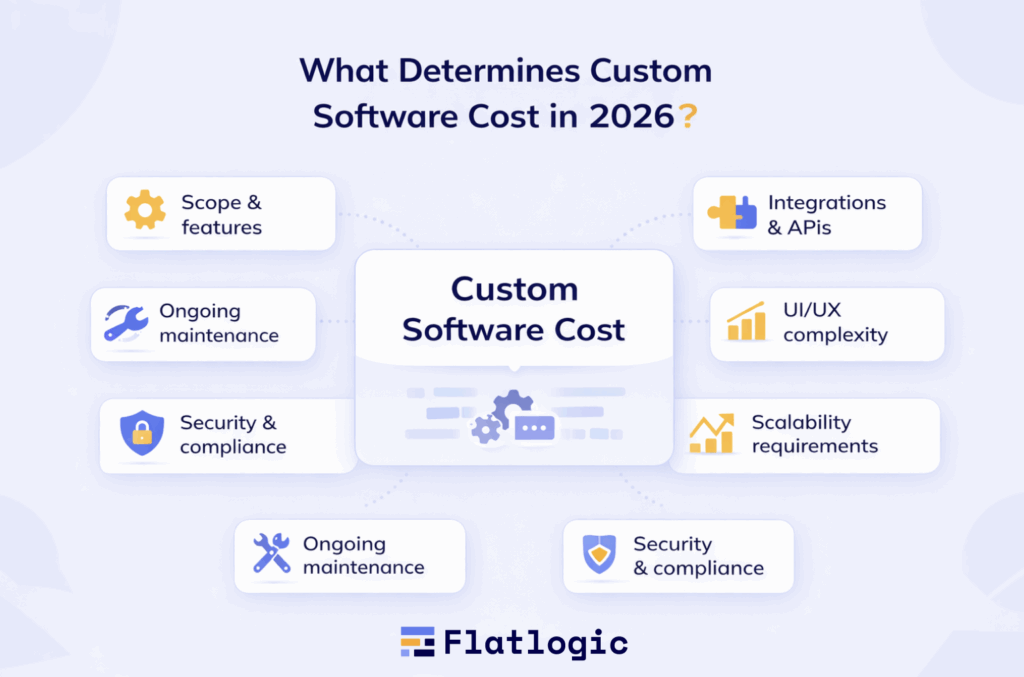
At its core, a custom web app is a browser-based software product that handles logic, data, and automation specific to one organization. Examples include internal dashboards, customer portals, CRMs, SaaS platforms, marketplaces, or admin systems that connect multiple services into a single workflow. These applications are typically cloud-based, scalable, and accessible from anywhere, which makes them a default choice for modern digital businesses.
What’s Different in 2026 Compared to Earlier Years?
While the idea of custom development hasn’t changed, how custom software is built has evolved significantly:
- Speed over scratch-building
In the past, “custom” often meant starting from a blank codebase. In 2026, most teams assemble applications using pre-built architectures, UI systems, and code generators, then customize business logic on top of them. This reduces development time without sacrificing ownership or flexibility. - AI-assisted development
AI now plays a practical role in scaffolding applications, generating CRUD logic, admin panels, authentication, and even basic APIs. Tools like Flatlogic generate production-ready full-stack code that teams can extend and maintain independently, shifting costs from manual coding to faster customization. - API-first and integration-heavy
Modern custom web apps are rarely isolated. They integrate with payment providers, analytics platforms, CRMs, ERP systems, email services, and AI APIs. In 2026, custom development often means orchestrating systems rather than reinventing them. - Scalability by default
Even MVPs are expected to scale. Cloud-native architectures, role-based access, and modular design are now standard expectations, not enterprise extras.
Custom Software vs Off-the-Shelf Software
The key difference isn’t technology, it’s control.
Off-the-shelf tools offer speed and predictability but force businesses into predefined workflows. Custom software, on the other hand, is built to reflect unique processes, pricing models, user roles, and growth strategies. This is why companies often start with SaaS tools and later migrate to custom solutions once limitations appear.
In 2026, the decision is no longer custom vs expensive. With platforms like Flatlogic and alternatives such as Bubble, OutSystems, or Mendix, businesses can choose different levels of customization, ownership, and cost, depending on how critical the software is to their core operations.
When Does “Custom” Make the Most Sense?
Custom web app development in 2026 is most justified when:
- Software is a core business asset, not a supporting tool
- Workflows are unique or constantly evolving
- Long-term scalability and data ownership matter
- SaaS subscription costs exceed the one-time build cost over time
- Integration between multiple systems is critical
In short, custom web app development in 2026 is no longer about building everything from scratch, it’s about strategically assembling, customizing, and owning software that fits your business today and can evolve tomorrow.
Typical Project Budgets (SaaS, CRM, Marketplace): Off-the-Shelf vs Custom
When estimating software costs in 2026, most businesses compare off-the-shelf products with custom software development. The key difference is not just how much you pay upfront, but what you get long-term: flexibility, scalability, and control over your product and costs.
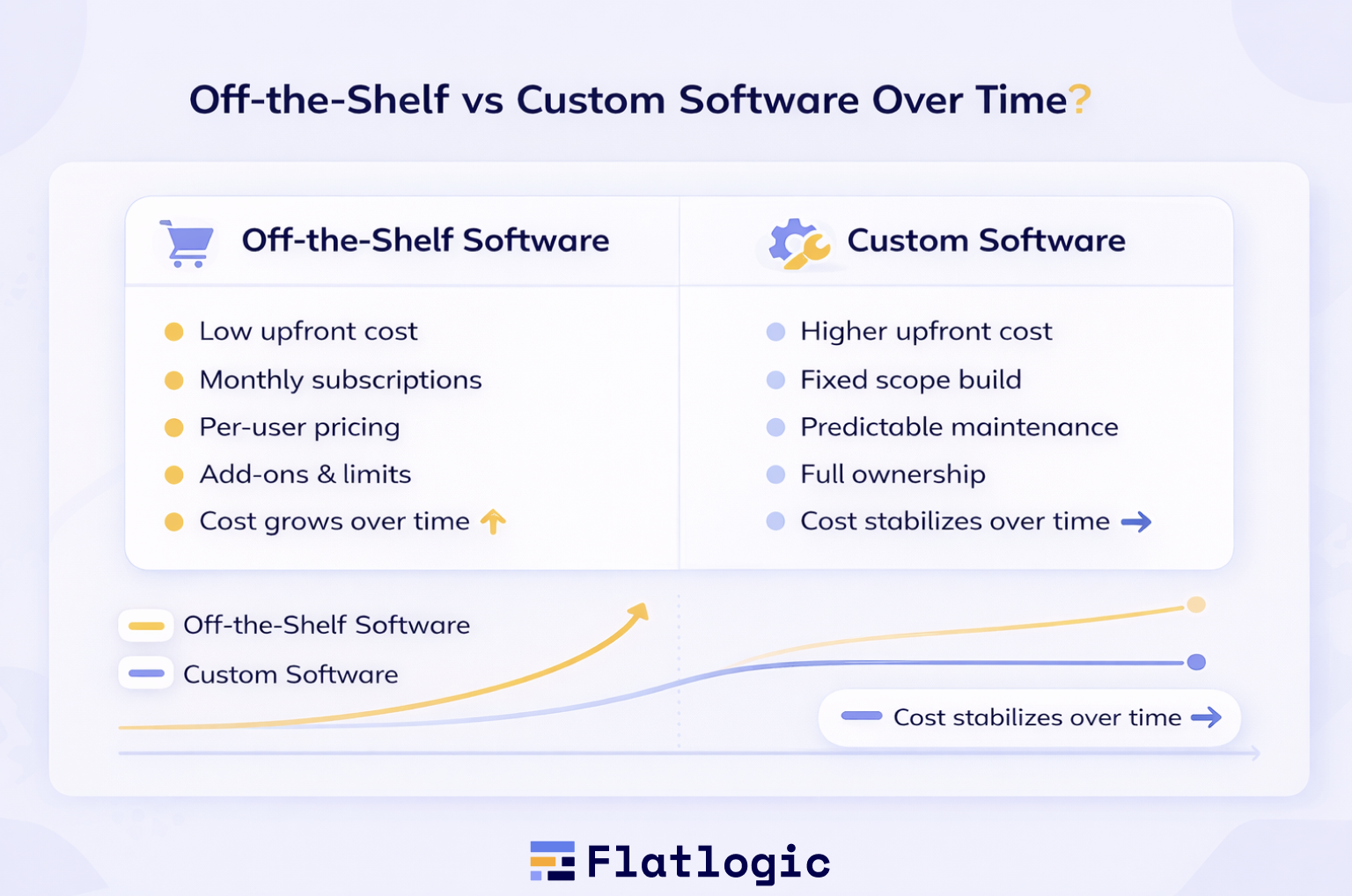
The table below compares realistic scope and budget expectations for SaaS platforms, CRMs, and marketplaces, showing how off-the-shelf and custom approaches differ in practice.
Off-the-Shelf vs Custom: Side-by-Side Comparison
| Project Type | Approach | Typical Scope | Cost Structure | Pros | Cons |
| SaaS Platform | Predefined features, standard billing, and limited workflows | Predefined features, standard billing, limited workflows | Monthly subscription + add-ons | Fast launch, low entry cost | Limited customization, scaling becomes expensive |
| Custom SaaS | Custom features, unique business logic, flexible billing, admin panel | One-time build + maintenance | Full control, scalable, tailored to product strategy | Higher upfront cost | |
| CRM System | Off-the-shelf (e.g. Salesforce, HubSpot) | Contacts, pipelines, reports, standard automations | Per-user monthly pricing | Mature features, minimal setup | Forced workflows, rising per-user costs |
| Custom CRM | Exact workflows, custom fields, internal integrations | One-time build + maintenance | Fits real processes, no unused features | Requires initial planning | |
| Marketplace | Off-the-shelf (e.g. Sharetribe) | Listings, payments, basic user roles | Subscription + transaction fees | Quick validation, minimal dev effort | Limited monetization models, platform lock-in |
| Custom Marketplace | Buyer/seller logic, custom commissions, advanced search & admin | One-time build + maintenance | Full flexibility, scalable business rules | Higher complexity and cost |
What These Numbers Mean in Reality
- Off-the-shelf solutions are ideal for early validation, simple workflows, and short-term needs.
- Custom solutions are better suited for products where software is the business, not just a supporting tool.
- Subscription models often appear cheaper at first, but over 2-3 years, custom development frequently becomes more cost-effective, especially for growing teams or revenue-driven products.
Modern platforms like Flatlogic further blur the line by enabling custom software with significantly lower upfront costs, combining code ownership with faster delivery.
Key Takeaway
In 2026, the choice between off-the-shelf and custom software is less about whether we can afford custom software and more about how long we plan to use and grow this product.
- If speed and simplicity matter most → off-the-shelf
- If differentiation, scalability, and cost control matter long-term → custom
Understanding this trade-off early is one of the most effective ways to avoid overpaying for software, whether through endless subscriptions or poorly scoped custom builds.
The Real Cost After Launch: What Most Budgets Miss
Launching a custom software is only the beginning. In 2026, many cost overruns don’t come from development itself, but from ongoing and hidden expenses that teams fail to plan for early. Understanding these costs is critical for realistic budgeting and long-term ROI.
Maintenance & Support
Every production app requires continuous upkeep. This includes bug fixes, dependency updates, performance optimization, and adapting to browser, OS, or API changes.
- Typically, 15-25% of the original development cost per year
- Increases with app complexity and number of integrations
- Often underestimated or ignored during planning
Hosting & Infrastructure
Even modest applications rely on cloud services for servers, databases, storage, and backups.
- Costs scale with traffic, data volume, and availability requirements
- Includes cloud hosting, databases, CDN, backups, and monitoring tools
- Becomes significant as usage grows, especially for SaaS and marketplaces
Third-Party Services & APIs
Most modern apps depend on external services: payments, email, analytics, maps, AI APIs, or authentication providers.
- Usually charged monthly or per usage
- Easy to overlook during estimation
- Can quietly become one of the highest recurring costs
Security, Compliance & Updates
Security is no longer optional. Regular updates, audits, and compliance measures (GDPR, SOC 2, etc.) require time and expertise.
- Security patches and vulnerability fixes are ongoing
- Compliance adds operational and documentation overhead
- Ignoring this increases legal and financial risk
Product Evolution
User feedback inevitably leads to new features, UI improvements, and workflow changes.
- Most products continue active development post-launch
- Budgeting only for “v1” is a common and costly mistake
- Successful products treat development as a continuous process
Key takeaway:
Custom software is not a one-time expense, it’s a long-term investment. Teams that plan for post-launch costs make better technology decisions and avoid unpleasant surprises.
Best Platforms for Custom Development in 2026
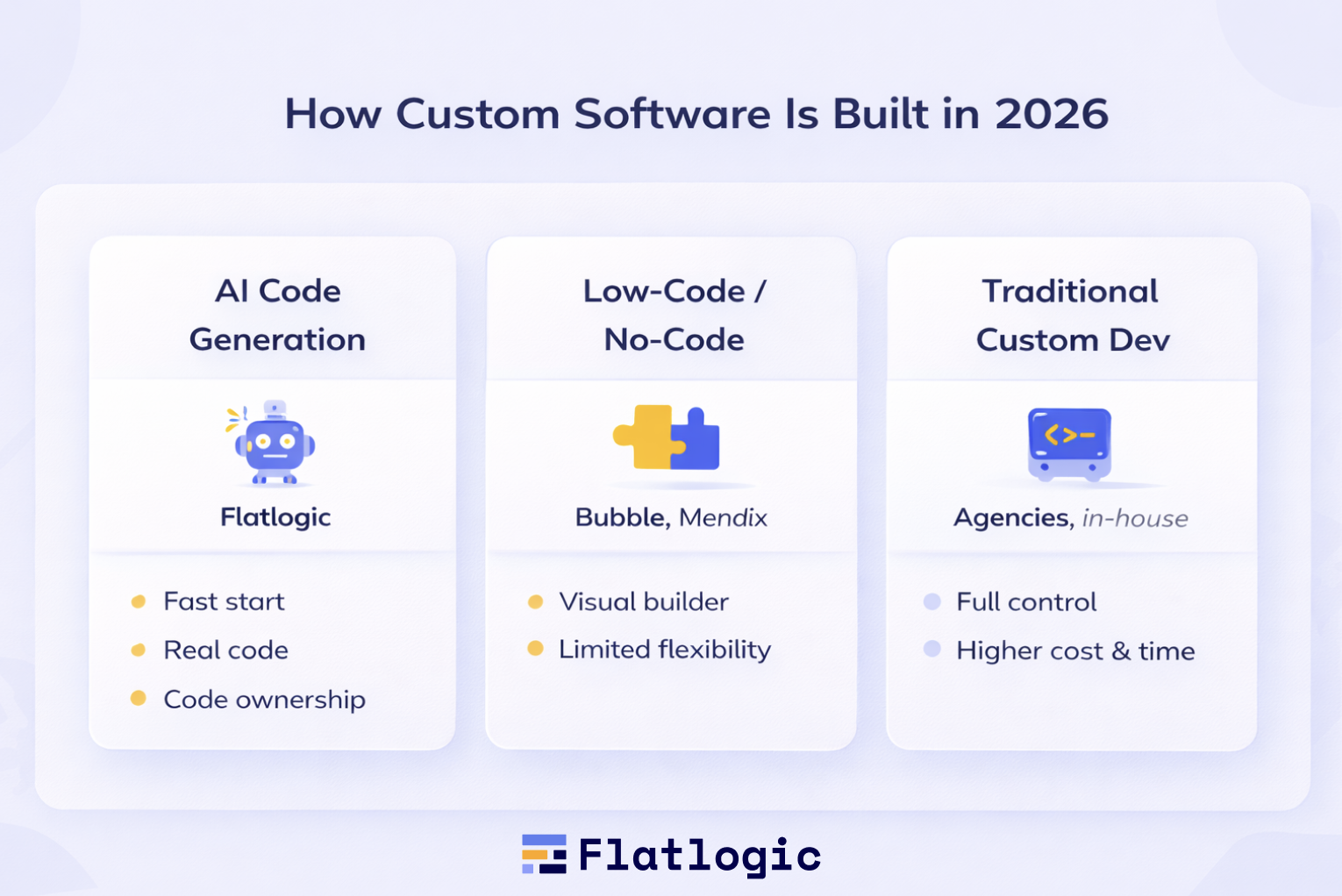
Custom development in 2026 has evolved far beyond hiring a team of developers and starting from scratch. Today’s platforms span a spectrum, from AI-powered code generation to no-code/low-code builders to traditional frameworks with enhanced tooling, each suited for different budgets, timelines, and product complexity levels. Below is a detailed guide to the leading options available now, including their key features, benefits, limitations, and best use cases.
AI-Powered Code Generation Platforms
These platforms use artificial intelligence to produce real, readable, extensible production code that teams can fully own. They dramatically accelerate development without locking you into proprietary runtimes.
Flatlogic
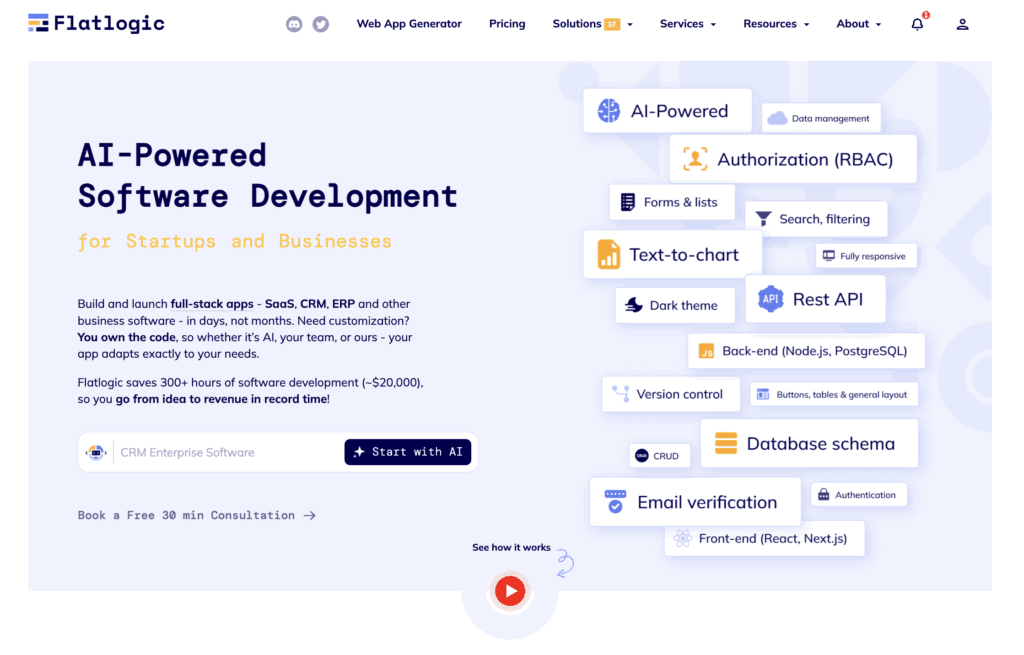
Flatlogic generates complete full-stack web applications, including frontend, backend, database, and admin UI, based on customizable templates.
Key Features:
- End-to-end code generation: Produces frontend UI, backend APIs, database schema, authentication, and CRUD panels automatically.
- Template ecosystem: Ready-made templates for SaaS apps, CRMs, ERPs, dashboards, admin tools, and internal systems.
- Ownership & portability: You own the generated source code, no vendor lock-in.
- Customization-ready: Developers can extend, refactor, and integrate additional features freely.
- Multiple tech stacks: Options include React, Next.js, Node.js, PostgreSQL, and others, depending on the template.
Best For:
Teams that want custom code with high control and dramatic time savings, especially SaaS founders, small dev teams, or companies that need production-ready starting points.
Limitations:
- Still requires development for unique business logic beyond templates
- Not a visual drag-and-drop no-code environment
Anima
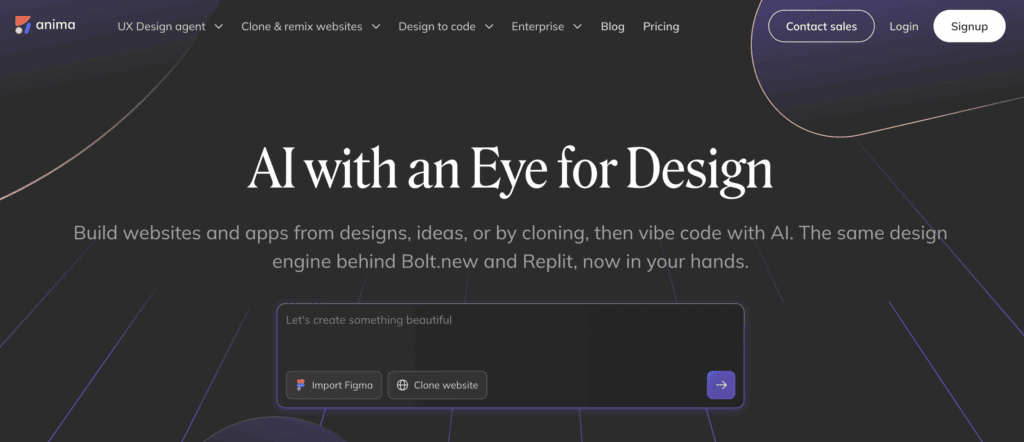
Anima focuses on transforming UI designs (from tools like Figma) into high-quality frontend code, greatly reducing the effort required to implement visual interfaces.
Key Features:
- Design-driven code generation: Converts visual prototypes into HTML, CSS, and React components.
- Sync with design files: Keeps design and code aligned.
- Custom interactions: Supports responsive layouts and interactive components.
Best For:
Projects where UI/UX polish and speed of frontend delivery are priorities.
Limitations:
- Backend logic, database schemas, and server-side code still require separate development
- Not a full end-to-end code generator
Low-Code / No-Code Platforms
Low-code and no-code options are ideal when speed of delivery and minimal developer involvement outweigh the need for deep backend control.
Bubble
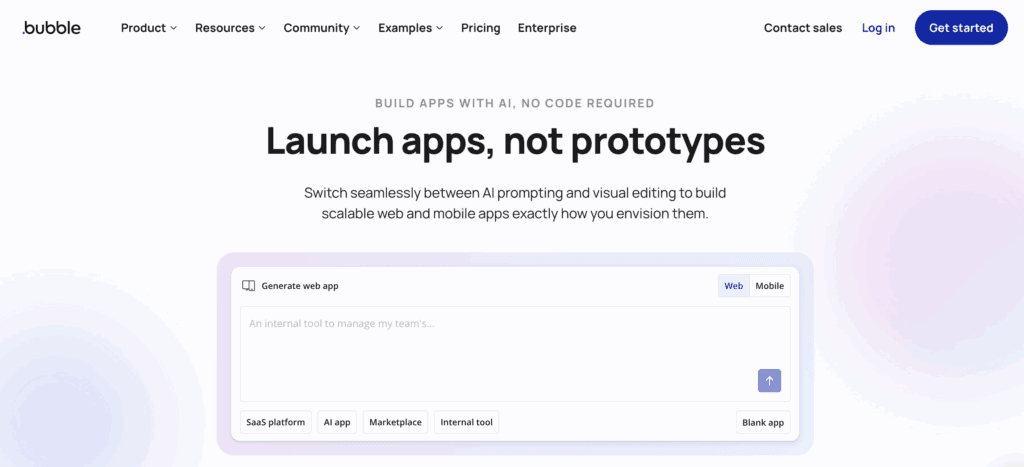
Bubble allows non-developers to build fully interactive web applications without writing code.
Key Features:
- Visual app builder: Drag-and-drop UI creation.
- Built-in workflows: Logic and events without coding.
- Database integrated: Store and manage app data natively.
- Deploy with hosting included.
Best For:
Startups building early MVPs, internal prototypes, and apps where deep custom logic isn’t required initially.
Limitations:
- Limited backend flexibility compared to generated code or custom builds
- Performance & scaling constraints for very large products
- Less ideal for complex marketplaces or high-transaction SaaS
OutSystems
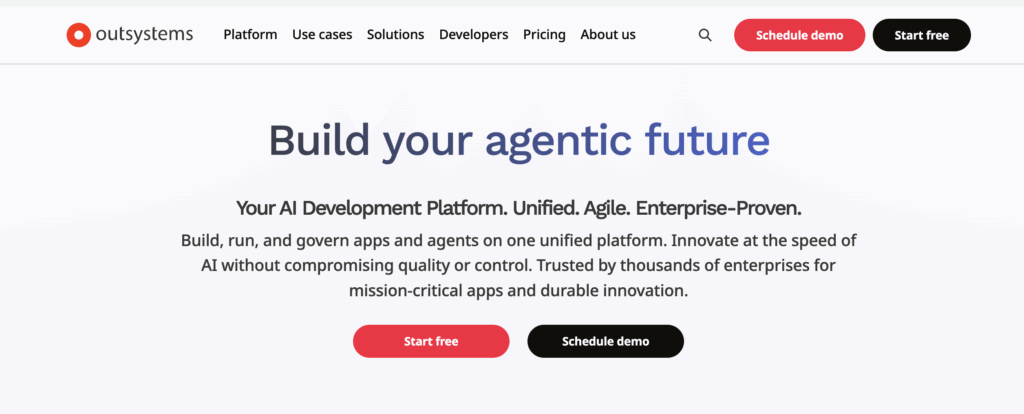
OutSystems is a powerful low-code platform built for enterprise applications with complex workflows and integrations.
Key Features:
- Visual modeling: Build UI, logic, and data models visually.
- Enterprise integrations: Connect with legacy systems, SAP, databases, and APIs.
- Robust security & governance: Built-in compliance and audit tools.
- Scaling & performance: Designed for large user bases.
Best For:
Large organizations that need rapid development but still operate within enterprise constraints (IT governance, security, audit requirements).
Limitations:
- Higher total cost due to licensing and cloud fees
- Less developer-friendly code ownership compared to an AI generator
Mendix
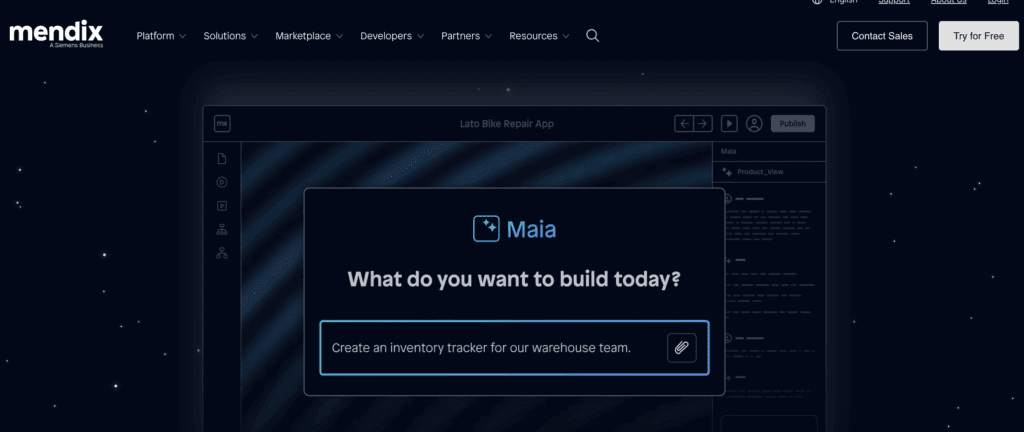
Mendix offers a visual development environment aimed at both business users and developers working together.
Key Features:
- Dual modes: Visual builder + code extensions
- Cloud or on-premise deploy options
- Automated testing and performance insights
- Reusable components & API connectors
Best For:
Teams combining business owners and developers, especially for internal digital transformation projects.
Limitations:
- Licensing costs can escalate with usage and user count
- Not ideal for products intended for public marketplaces without further coding
Traditional Custom Development
This is the classic approach: hire developers or an agency to build fully custom code using frameworks like React, Vue, Laravel, Django, or Ruby on Rails.
Key Features:
- Ultimate flexibility: Build exactly what you want with no platform constraints
- Choice of tech stack: Tailor technology to product needs
- Deep integrations: Full control over APIs and performance tuning
Best For:
Highly complex systems (e.g., large marketplaces, fintech, regulated platforms) where every detail matters and performance is critical.
Limitations:
- Highest upfront cost
- Longer time to market if built from scratch
Platform Summary: How to Choose
| Platform Type | Best For | Strengths | Trade-offs |
| AI Code Generators (Flatlogic, Anima) | SaaS/CRM founders and teams with dev skills | Fast start, real code, full ownership | Requires developer involvement |
| No-Code Builders (Bubble) | MVPs & early validation | No developers needed | Limited logic & scaling |
| Enterprise Low-Code(OutSystems, Mendix) | Large businesses | Strong integrations & governance | Enterprise cost and complexity |
| Custom Dev (Frameworks) | Ultimate flexibility | Highest control | Slowest & most expensive upfront |
By 2026, “custom” doesn’t mean expensive or slow by default. The ecosystem now offers choices that balance cost, control, and speed. Tools like Flatlogic combine the best of both worlds, code generation for speed and developer ownership for flexibility, making serious custom software attainable for startups and enterprises alike.
Choosing the right platform depends on business goals, budget horizon, and how critical software is to your competitive advantage. Understanding each option’s strength helps you optimize investment and avoid surprise costs down the line.
How to Estimate Custom Software Cost Before Talking to Developers
One of the most common mistakes companies make is approaching development teams with only a vague idea like “we need a SaaS platform” or “we want something like X, but better”. In 2026, accurate cost estimation starts before any technical discussion.
To estimate realistically, focus on scope clarity rather than technical detail:
- Define the core problem the software must solve
- List must-have features vs nice-to-have features
- Identify user roles (admins, customers, partners, internal teams)
- Map integrations (payments, analytics, CRM, email, AI services)
- Decide MVP vs full product from day one
You don’t need technical specifications, but you do need product boundaries. Teams that come prepared with a clear scope typically receive tighter estimates, fewer surprises, and shorter timelines.
Why Most Cost Overruns Happen (And How to Avoid Them)
Even with modern tools and AI, cost overruns remain common, not because developers miscalculate, but because scope changes mid-project.
The most frequent causes include:
- Starting development without a defined MVP
- Adding features during development without revisiting the budget
- Underestimating integrations and edge cases
- Treating version 1 as a “final” product
The solution isn’t freezing requirements forever, it’s planning for change. The most successful teams in 2026 use phased development:
- Phase 1: MVP with strict scope
- Phase 2: Validation & feedback
- Phase 3: Iterative expansion
This approach keeps budgets predictable while still allowing product evolution.
When Custom Software Becomes Cheaper Than SaaS
At first glance, SaaS subscriptions always seem cheaper. But over time, recurring fees, per-user pricing, and paid add-ons quietly compound.
Custom software often becomes more cost-effective when:
- Team size grows beyond 20-30 users
- You rely on multiple SaaS tools for one workflow
- Your business model doesn’t match SaaS limitations
- You pay for many unused features
- You need deep integrations across systems
In these cases, a one-time custom build plus predictable maintenance can outperform subscription-based tools financially, especially over a 2-5 year horizon.
A Practical Rule of Thumb for 2026
If you want a simple way to think about custom software costs:
- If software supports your business → SaaS is usually fine
- If software is your business → custom almost always wins
The real cost question isn’t “How much does it cost to build?”, it’s “How much will this cost us over the next 3-5 years?” Teams that answer that question early make far better technology and budget decisions.
Conclusion: Custom Software Cost Is a Strategy, Not a Number
In 2026, the question “How much does custom software cost?” no longer has a single, universal answer, and that’s exactly what businesses need to understand. Custom software cost is not just a development estimate; it’s a strategic decision shaped by scope, lifecycle planning, platform choice, and long-term business goals.
As this article shows, off-the-shelf solutions optimize for speed and convenience, while custom software optimizes for control, scalability, and differentiation. Subscription-based tools may look cheaper at the start, but over time, their recurring fees, per-user pricing, and customization limits often outweigh the upfront cost of building a tailored solution, especially for growing teams and revenue-driven products.
What’s changed most in 2026 is how custom software is built. AI-assisted development, reusable architectures, and code-generation platforms have dramatically reduced time-to-market and lowered risk. Platforms like Flatlogic make it possible to start with production-ready full-stack code, shifting budgets away from repetitive setup and toward real business logic and innovation.
The teams that manage software costs best don’t chase the cheapest option, they make deliberate choices:
- They define the scope before development begins
- They treat MVPs as learning tools, not final products
- They plan for maintenance, scaling, and evolution from day one
- They evaluate cost over the years, not just at launch
Ultimately, custom software in 2026 is no longer about building everything from scratch. It’s about intentionally assembling, owning, and evolving software that supports where your business is going next. When approached strategically, custom development isn’t just a cost, it’s a long-term competitive advantage.