


TL;DR
- React templates save time mainly by skipping early decisions: project setup, architecture, and common feature wiring.
- Biggest gains come from prebuilt UI, auth, API integration patterns, and admin/dashboard scaffolding.
- Templates don’t define your product, write custom business logic, or eliminate learning and future refactoring.
- For SMBs/startups, saved setup time compounds into faster MVP launches, earlier feedback, and more iterations.
- Estimated total savings are 200–400 hours, often translating to launching weeks earlier.
Fact Box
- The article estimates React templates can save 200–400 hours in total, depending on project scope.
- Estimated time saved on project setup & configuration is 8–20 hours.
- Estimated time saved on UI development is 40–80 hours.
- Estimated time saved on authentication is 40–80 hours.
- Estimated time saved on admin dashboards is 50–100+ hours.
What if the biggest time-saver in your next product build isn’t hiring faster developers, but simply starting smarter?
If you’ve ever searched for ways to speed up your development process, you’ve probably asked yourself a few key questions:
- Do React templates actually save time, or do they just shift the work elsewhere?
- Will using a template limit flexibility as my product grows?
- Is it worth the upfront investment for a small team or startup?
- How much time can I realistically save compared to building from scratch?
As Kent C. Dodds, a well-known React educator, once said:
“The more you can focus on delivering value to users, the more successful your product will be”.
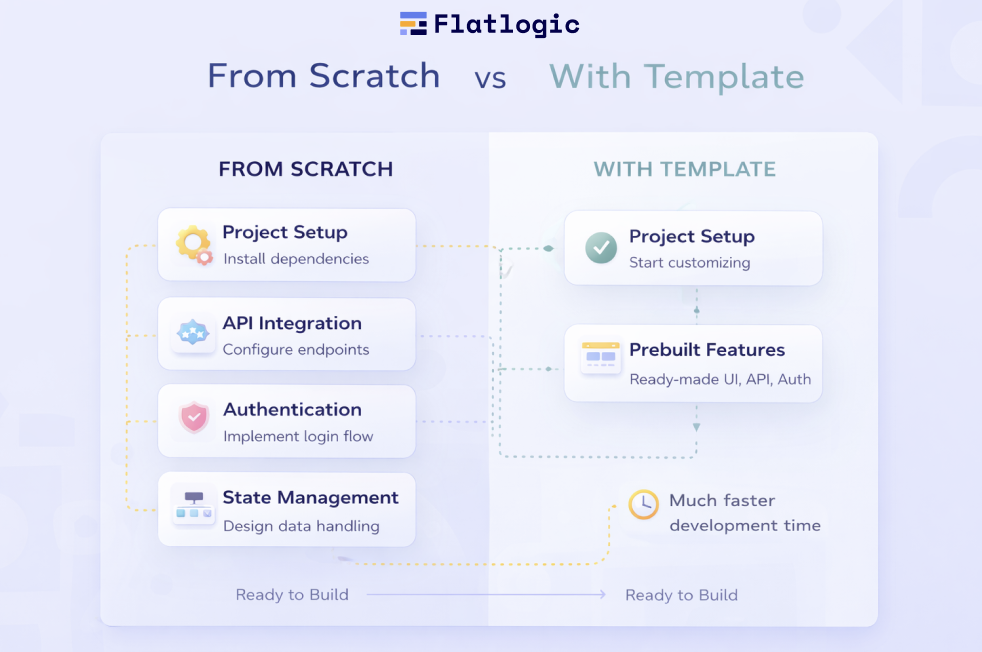
The challenge is that most development teams, especially in startups and SMBs, spend a disproportionate amount of time not delivering value. Instead, they’re setting up environments, configuring tooling, designing architecture, and solving the same foundational problems over and over again. Studies from sources like Stack Overflow Developer Surveys and GitHub’s State of the Octoverse consistently highlight that developers spend a significant chunk of their time on repetitive setup tasks rather than core product logic. This inefficiency compounds quickly in smaller teams where every hour matters.For a more product-building-specific view, see our latest research on starting web apps.
By reading this article, you’ll clearly understand what a React template actually saves you time on, where the real gains come from, and whether it’s a smart investment for your business. We’ll break down practical time-saving areas, debunk common misconceptions, and help you decide when using a template makes strategic sense.
What Is a React Template, Really?
At first glance, a React template might look like a simple starting point, but in practice, it’s much closer to a pre-assembled foundation for a real application. Instead of beginning from scratch and making dozens of early-stage decisions, you step into a project where the essential pieces are already connected and working.

A Ready-to-Use Application Baseline
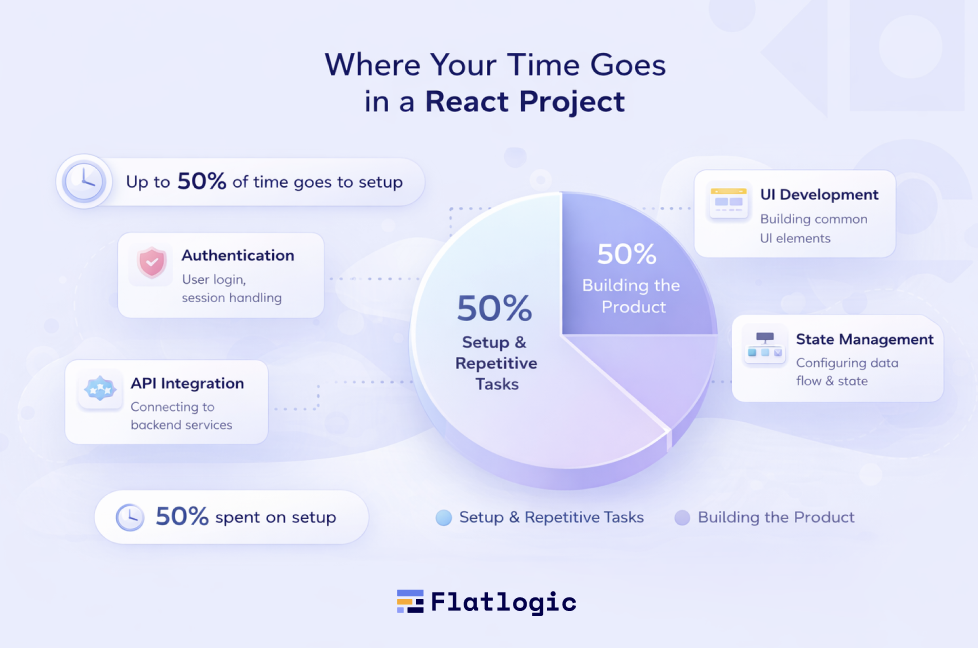
A React template is a pre-built codebase that includes the core structure of a modern web app. The project already runs, the folders are organized, and the main architectural decisions are in place. This means your team doesn’t have to spend the first days (or weeks) figuring out how everything should fit together.
Rather than asking “how do we set this up?”, you immediately move to “how do we build on this?”
Beyond Just UI
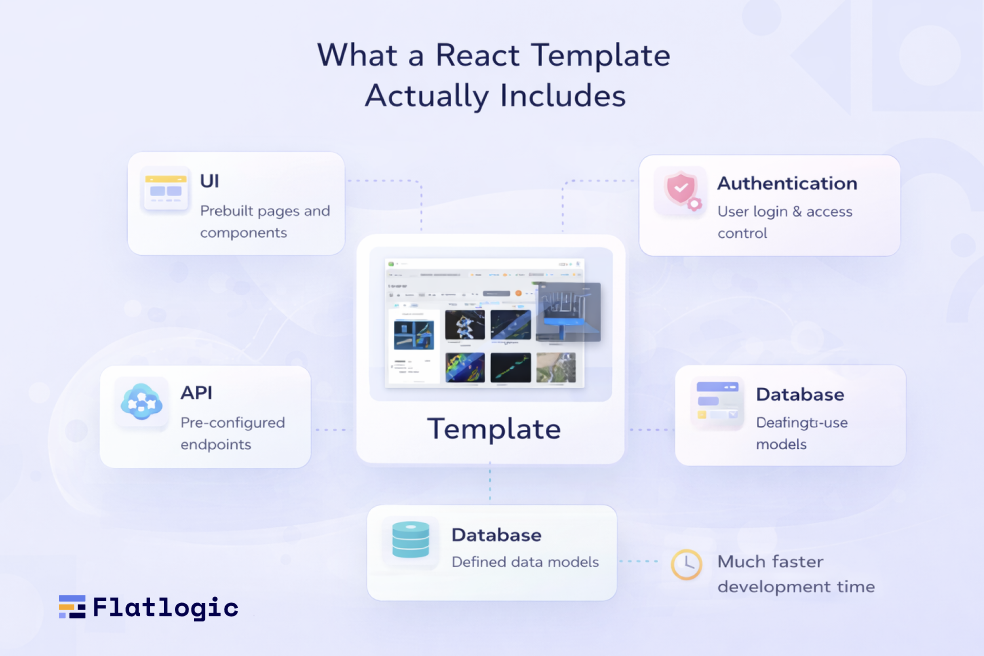
It’s easy to assume that templates are mostly about visuals, buttons, layouts, and pages. But their real value lies deeper. A well-designed template includes not just interface elements, but also the logic and structure that power them.
In most cases, this means navigation is already configured, data flows are defined, and there’s a clear way to handle communication with APIs. Many templates also include authentication flows, so user login and access control are already solved at a basic level.
The result is a system where the moving parts of an application are already coordinated, not something you have to assemble yourself.
A More Complete Starting Point
Compared to starter kits or boilerplates, React templates are typically more complete and opinionated. Starter kits give you minimal setup. Boilerplates provide more structure, but often still require significant work before they feel like a real product.
Templates aim to go further. They offer a cohesive environment where both the frontend experience and underlying architecture are aligned. This reduces the number of decisions your team needs to make early on, which is often where time is lost.
Why This Matters for SMBs and Startups
For smaller teams, the biggest challenge isn’t building features, it’s getting to the point where feature development can begin efficiently. A React template shortens that path.
Instead of spending time on setup, configuration, and repeated architectural choices, your team starts with a working baseline. This reduces uncertainty, speeds up onboarding, and allows developers to focus on product-specific functionality much earlier in the process.
The Core Idea
A React template isn’t just a shortcut, it’s a strategic starting point. It replaces repetitive groundwork with a ready-made system, so your team can concentrate on building what actually matters.
Why Time Savings Matter More for SMBs and Startups
For SMBs and startups, time is not just about productivity, it’s directly tied to business outcomes. Smaller teams typically work with limited engineering resources, fixed budgets, and strict deadlines. That means every hour spent on non-essential work, like setting up infrastructure or rewriting common features, comes at the expense of building actual product value.
Limited Resources, Higher Pressure
Unlike larger organizations, startups don’t have the luxury of specialized teams handling different layers of development. The same developers are often responsible for architecture, implementation, and delivery. As a result, time spent on repetitive setup tasks quickly becomes a bottleneck.
This creates a constant trade-off: either invest time in foundational work or move forward with features that users actually care about. In most cases, delaying product development slows down everything else, from user acquisition to revenue generation.
Speed to Market Is Critical
One of the biggest advantages a startup can have is speed. Releasing a product earlier allows teams to validate ideas, collect user feedback, and iterate before competitors catch up. Even small delays in development can push back launch timelines and reduce the chances of gaining early traction.
Time savings at the beginning of a project are especially valuable because they accelerate everything that follows. The sooner a product is live, the sooner real-world learning begins.
Compounding Effect of Saved Time
Time saved isn’t just a one-time benefit, it compounds over the lifecycle of the product. Faster setup leads to faster development, which leads to earlier releases and more iterations.
For example, saving a few days during initial development can result in:
- Earlier MVP launch
- Faster feedback loops
- More product iterations within the same timeframe
Over weeks and months, this creates a measurable competitive advantage.
Focus on What Actually Matters
Ultimately, startups don’t succeed because they configured tools perfectly, they succeed because they solve real problems for users. Reducing time spent on repetitive or non-differentiating tasks allows teams to focus on core features, user experience, and business logic.
That’s why time-saving solutions like React templates have a disproportionate impact in this context. They help teams skip the groundwork and concentrate on building what truly defines their product.
How Flatlogic Fits Into This
Flatlogic is a platform for generating web applications. Instead of starting with just a React template, it produces a full-stack project that includes frontend, backend, database structure, and common features like authentication and an admin panel.
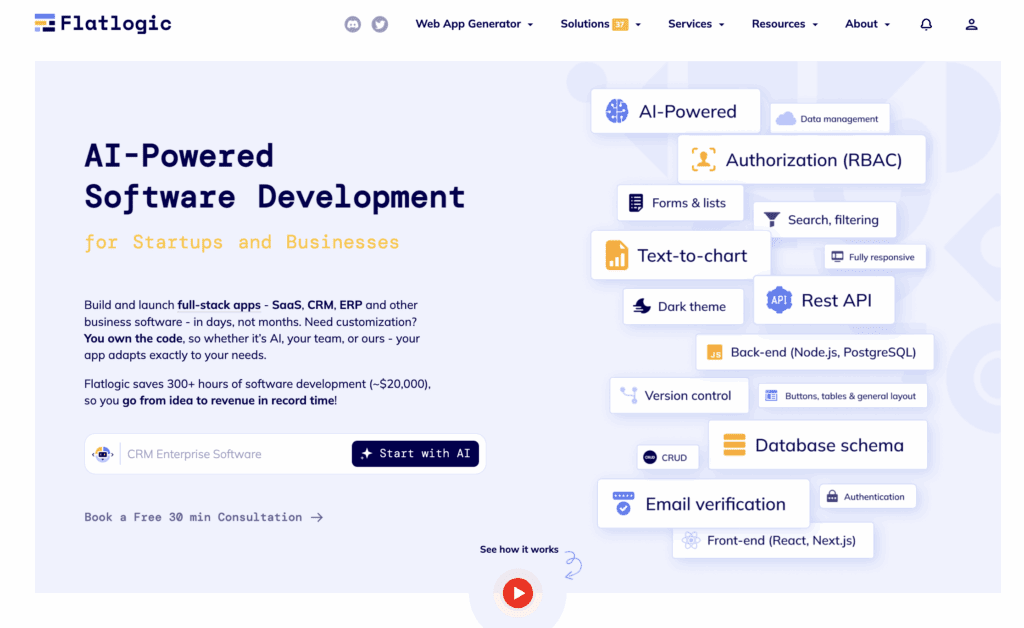
The key difference from a typical React template is scope. While templates mainly speed up frontend setup, Flatlogic reduces the need to manually connect different parts of an application, UI, API, and data layer. You start with a project where these pieces are already aligned and working together.For teams that need more than a frontend starter, an AI web app generator can provide a working full-stack baseline from day one.
In practice, this doesn’t remove the need for development. You still build your product’s core logic and features. But it does reduce the amount of initial setup and integration work, which is often where teams lose time early on.
What React Templates Do NOT Save You Time On
React templates can remove a large portion of repetitive setup, but they don’t eliminate the core work of building a product. In many cases, they simply shift your focus from infrastructure to the parts that actually require thinking, decisions, and iteration.
They Don’t Define Your Product
A template can give you structure, but it won’t tell you what to build. Decisions around product direction, what features to prioritize, which problems to solve, and how users should interact with your app, remain entirely yours.
This is often where startups spend the most time, and for good reason. Building the wrong thing quickly is still building the wrong thing. Templates accelerate execution, but they don’t replace strategy.
They Don’t Replace Custom Logic
Every product has its own rules, workflows, and edge cases. A template might provide a basic pattern for handling data or structuring components, but it won’t implement your unique business logic.
You’ll still need to build:
- Core functionality that differentiates your product
- Specific workflows and user interactions
- Integrations tailored to your use case
In other words, templates handle the common parts, not the parts that make your product unique.
They Don’t Eliminate Learning and Decisions
Even with a template, your team still needs to understand how the system works. Developers have to learn the structure, follow conventions, and sometimes adapt to opinions embedded in the template.
If the template uses unfamiliar tools or patterns, there may even be a short-term slowdown while the team gets up to speed. The difference is that you’re learning within a working system, rather than building one from scratch.
They Don’t Prevent Future Refactoring
Templates are designed to be flexible, but they’re not perfect fits for every use case. As your product grows, you may need to:
- Adjust architecture
- Replace certain libraries
- Refactor parts of the codebase
A good template reduces early mistakes, but it doesn’t eliminate the need to evolve your system over time.
The Real Boundary
React templates save time on how to start and structure an application. They don’t save time on what to build or why it matters.
Understanding this boundary is key. When used with the right expectations, templates become a powerful accelerator. When expected to do everything, they can lead to frustration or misaligned decisions.
When a React Template Makes the Most Sense
React templates deliver the most value when speed and efficiency matter more than building everything from scratch.
They are especially useful in early-stage development, where the goal is to launch quickly and validate an idea. Instead of spending time on setup and common features, teams can focus on delivering a working product and gathering feedback.
Templates tend to work best in a few common scenarios:
- Building an MVP where time-to-market is critical
- Working with a small team that needs to minimize overhead
- Developing products with standard features like dashboards or admin panels
- Operating under tight deadlines or fixed budgets
They’re a strong fit for products with standard functionality as well, such as SaaS platforms, where much of the structure is already familiar and repeatable. In these cases, using a template avoids reinventing the same patterns and accelerates development significantly.
In short, React templates make the most sense when your priority is to move faster, reduce uncertainty, and focus on building what actually differentiates your product.
Realistic Time Savings Breakdown
While exact numbers vary by team and project complexity, React templates consistently reduce time spent on repetitive groundwork. The biggest gains come from skipping setup, prebuilt features, and established architecture decisions, areas that typically consume a large portion of early development.
Below is a realistic estimate of where time savings usually occur:
| Area | Estimated Time Saved |
| Project setup & configuration | 8-20 hours |
| UI development | 40-80 hours |
| Authentication | 40-80 hours |
| API integration | 20-40 hours |
| State management setup | 10-20 hours |
| Admin dashboards | 50-100+ hours |
In total, this can add up to 200-400 hours saved, depending on the scope of the project. For SMBs and startups, that often means launching weeks earlier, and using that time to iterate, test, and grow instead of building from scratch.
The Bigger Picture: It’s Not Just About Time
Time savings are the most visible benefit of using a React template, but they’re not the most important one. The real advantage is focus.

By removing repetitive setup and common implementation work, templates allow teams to concentrate on what actually drives product success: building meaningful features, improving user experience, and responding to feedback. Instead of getting stuck in early-stage decisions and infrastructure, developers can spend more time delivering value.
There’s also a quality aspect. Starting from a structured, prebuilt foundation often leads to more consistent code, fewer early mistakes, and smoother collaboration as the team grows.
In the long run, it’s not just about moving faster, it’s about moving in the right direction with fewer distractions along the way.
Conclusion
React templates don’t magically build your product for you, but they do remove a surprising amount of friction from the process of getting there. Instead of spending valuable time on setup, configuration, and reinventing common patterns, your team starts from a point where the fundamentals are already solved.
The real value isn’t just in the hours saved, though saving 200-400 hours is significant. It’s in what those hours are reallocated to: building core features, refining user experience, and learning from real users sooner. For SMBs and startups, that shift can be the difference between slow progress and real momentum.
At the same time, templates work best when used with the right expectations. They won’t define your product, replace strategic decisions, or eliminate the need for custom development. What they do is create space, space to focus on what actually matters.
So when asking whether a React template is worth it, the better question is: where should your team’s time go? If the answer is building value instead of rebuilding foundations, then starting with a template isn’t just a convenience, it’s a smart, strategic choice.